





Do External Transceivers Work Universally?
 Oct 21, 2025|
Here's what network engineers don't tell you upfront: asking if external transceivers work "universally" is like asking if car parts fit "universally." The answer is complicated-and expensive if you get it wrong.
I've watched companies burn through thousands of dollars buying transceivers that physically fit their switch ports but never link up. The module slides in perfectly. The LED blinks hopefully. Then... nothing. No carrier detected. Link stays down. And suddenly you're on hold with technical support, wondering if you just voided a six-figure equipment warranty.
The uncomfortable truth? External transceivers operate in a compatibility gray zone where "universal" depends on which layer of compatibility you're asking about. Physical form factor? Often yes. Electronic signaling? Usually yes. Vendor firmware recognition? That's where universality dies.
Let me show you the three-dimensional compatibility model that determines whether your transceiver actually works-and why the optical transceiver market, projected to hit $25.74 billion by 2030 (Mordor Intelligence, 2025), still can't solve this problem completely.
The Compatibility Triangle: Why "Universal" Has Three Different Meanings
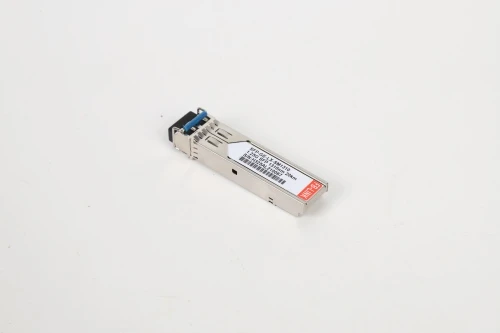
When someone asks "do external transceivers work universally," they're actually asking three separate questions without realizing it. I call this the Compatibility Triangle-three distinct layers that must all align for a transceiver to function.
Layer 1: Physical Compatibility (Form Factor) This is where transceivers appear most "universal." An SFP+ module is mechanically identical whether it comes from Cisco, a third-party manufacturer, or was pulled from Mars. The dimensions follow Multi-Source Agreement (MSA) standards-meaning SFP+, QSFP28, QSFP-DD modules have standardized sizes and connector pin layouts.
So yes, at this level, they're physically universal. An SFP+ module from Vendor A fits mechanically into Vendor B's switch port. But here's the catch most people miss: an SFP module can fit seamlessly into an SFP+ port and vice versa, but the connection may suffer from reduced transmission rate or may not work at all.
Physical compatibility gives you false confidence. It tricks you into thinking you're 90% done when you're actually only 33% there.
Layer 2: Optical/Electrical Compatibility (Signaling) This layer addresses whether the transceiver can actually transmit and receive data properly. Key parameters include:
Wavelength matching: Both ends must have matching wavelengths. A 1310nm module on one end requires 1310nm on the other
Speed capability: Data rate must match on both ends
Fiber type: If a module is connected with OM1/OM2 fibers while the other end uses OM3/OM4 fibers, the connection won't succeed
Distance specifications: A short-range (SR) module rated for 300m won't magically work at 10km
At this layer, transceivers are largely universal-if you match these parameters correctly. The industry's standardization around IEEE specifications means a compliant 10GBASE-SR module from any manufacturer will optically communicate with another compliant 10GBASE-SR module.
But t his is where cost-cutting third-party vendors sometimes fail. Mismatched optical parameters cause link failures or poor signal quality, even though the module physically fits and is theoretically compatible.
Layer 3: Firmware/Vendor Compatibility (The Deal-Breaker) Welcome to the layer where universality crumbles entirely.
OEMs like Cisco, Juniper, and HPE embed code into their equipment to ensure transceivers are correctly coded-if the coding isn't right, the transceiver simply won't work. This isn't about technical performance. It's about vendor lock-in.
Every transceiver contains an EEPROM chip storing identification data: serial number, vendor ID, part number, and compatibility codes. Your switch firmware reads this chip and decides whether to accept the module. OEMs like Cisco, Juniper, and HPE will reject modules with unrecognized or incorrect EEPROM data.
Think about what this means: you can have a transceiver that's physically identical, optically perfect, and electrically flawless-but if the vendor firmware doesn't like what it reads from that EEPROM chip, your switch treats it like a counterfeit ID at a nightclub. Denied.
This is why "universal" third-party transceivers exist but require explicit compatibility coding for each vendor platform. The compatibility is controlled by OEM software codes embedded in the transceiver. Third-party manufacturers use the same software codes as original vendors to ensure compatibility.
The Third-Party Reality: Same Factory, Different Label
Here's something the OEMs don't advertise but everyone in the industry knows: third-party transceivers are coming off the same assembly lines as OEM units, and in most cases are the same exact hardware used by the OEM.
Cisco doesn't manufacture optical transceivers. Neither does Juniper or Arista. They source from specialized manufacturers like Finisar (now II-VI), Lumentum, and Source Photonics. These same manufacturers sell identical modules to third-party vendors, who code the EEPROM differently.
All optical modules are produced according to strict MSA standards, and the only difference is the vendor label along with a few hundred dollars in markup. In many cases, you're comparing identical hardware-one version costs $800 (OEM-branded), the other $150 (third-party compatible).
The quality argument collapses under scrutiny. Third-party transceivers can cost 50-70% less than OEM versions, yet they're manufactured to the same specifications in the same facilities. What you're paying for with OEM transceivers is primarily the brand name and guaranteed vendor support-not superior optical components.
But here's the nuance: not all third-party vendors are created equal. Some low-cost providers utilize lower quality parts or even recycled components from failed optics. The third-party market spans from fly-by-night operations to professional manufacturers with rigorous testing procedures.
The Warranty Myth That Costs Companies Millions
Let's address the elephant in the server room: "Using third-party transceivers voids your equipment warranty."
This statement is technically false but practically complicated. Using third-party transceivers doesn't void OEM warranties-that would be illegal. The Magnuson-Moss Warranty Act (in the U.S.) prevents manufacturers from voiding warranties simply because you used third-party components.
However, OEM warranty policies contain carefully worded escape clauses. Here's the pattern across major vendors:
Cisco's position: If equipment fails and the failure is caused by third-party hardware, warranty support may be withheld until original components are reinstalled
HPE's approach: Similar-warranty doesn't apply if defects result from using third-party hardware
Juniper's stance: Will refuse support if problems are connected to third-party transceivers
Notice the language: they don't void the entire warranty. They reserve the right to refuse support if they determine the third-party component caused the problem. If a support case is opened and the transceiver is connected to the problem, support will refuse to work with an unknown third-party transceiver.
In practice, this creates a support limbo. If your switch develops an issue and you have third-party optics installed, the OEM's first response is often: "Replace those with our transceivers and see if the problem persists." Even if the transceiver has nothing to do with the failure.
The smart approach? Many network teams keep a few OEM transceivers as "support modules"-swap them in before opening support tickets, then switch back to third-party modules after resolution.
Compatibility Testing: The Due Diligence Nobody Does
Here's a pattern I've seen repeatedly: companies buy third-party transceivers based solely on price, skip compatibility verification, then blame "cheap third-party junk" when links fail. But the failure often isn't quality-it's incompatibility.
Before deploying new transceivers, conduct interoperability testing to ensure compatibility and performance. Reputable third-party vendors maintain compatibility matrices listing which specific switch models they've tested against.
What proper testing looks like:
Pre-deployment verification:
Check vendor's compatibility list for your exact switch model and firmware version
Verify the vendor provides lifetime warranty (quality vendors do)
Confirm DDM/DOM (Digital Diagnostics Monitoring) support
Request documentation of their testing procedures
Initial deployment testing:
Deploy in non-critical link first
Monitor DDM parameters: TX power, RX power, temperature, bias current
Run extended burn-in test (72+ hours) before full deployment
Document baseline performance metrics
Some vendors offer modules pre-programmed for specific OEM environments with guaranteed compatibility coding for major platforms. This is the middle ground between fully OEM and generic third-party-modules explicitly coded and tested for your vendor's equipment.
The Real Compatibility Failures (And How to Avoid Them)
After analyzing compatibility issues across deployments, certain failure patterns emerge repeatedly:
Failure Mode 1: Form Factor Confusion SFP and SFP+ modules look identical and have the same size. If you plug an SFP+ module into an SFP port, it delivers no results at all as the 10G transceiver cannot auto-negotiate to 1Gbps.
Conversely, plugging SFP (1G) into SFP+ (10G) locks the port at 1Gbps-which works but wastes the port's capability. Many switches don't auto-negotiate this gracefully.
Prevention: Label transceivers clearly. Implement inventory management to prevent mixing form factors.
Failure Mode 2: Firmware Coding Mismatch The host device may reject the module due to firmware/coding mismatch, where the switch doesn't recognize or rejects the EEPROM data.
This isn't about the module being defective-it's about vendor firmware being intentionally restrictive. Some vendors have "third-party friendly" firmware versions. Others aggressively reject non-OEM modules.
Prevention: Before bulk purchase, test ONE module in your actual equipment. Don't assume compatibility based on vendor claims alone.
Failure Mode 3: Fiber Type Mismatch This is basic but happens constantly. Using incorrect fiber type causes signal loss and potential failures-a 1310nm single-mode module requires single-mode fiber, while multimode modules need multimode cables.
The confusing part? The connector fits either way. You can physically connect single-mode fiber to a multimode transceiver. It just won't work properly (or at all).
Prevention: Color-code fiber infrastructure. OM3/OM4 multimode typically uses aqua jackets. OS2 single-mode uses yellow. Implement strict labeling protocols.
Failure Mode 4: Distance Overreach One customer deployed SFP-10G-LRM optics on existing single-mode cable plant but encountered intermittent packet loss and connection issues because the cable run exceeded the 300-meter specification. Switching to SFP-10G-LR (rated for 10km) resolved the problem immediately.
Transceivers aren't magically universal across distances. SR (short reach), LR (long reach), and ER (extended reach) variants exist for real technical reasons related to laser power and receiver sensitivity.
Prevention: Measure cable runs accurately. Add 20% margin to account for patch panels and slack. When in doubt, spec up to the next distance tier.
When "Universal" Actually Works: The Success Scenarios
Not every compatibility story ends in frustration. Let me show you when third-party transceivers genuinely work universally:
Scenario 1: Vendor-Agnostic Environments Some network vendors (Arista, for example) explicitly support third-party optics. Extreme Networks provides wide third-party transceiver compatibility but makes no guarantees about any specific third-party transceiver operation. These vendors recognize that restrictive firmware policies drive customers away.
If your entire network uses vendor-agnostic equipment, third-party transceivers work reliably and universally-because there's no artificial firmware barrier.
Scenario 2: Point-to-Point Links When connecting two devices you control-especially across different vendors-standards-compliant transceivers work universally at the optical layer. A Dell switch talking to an HPE switch over fiber? As long as wavelength, speed, and fiber type match, it just works.
The vendor lock-in only applies when the host device actively checks transceiver identity. In cross-vendor scenarios, there's nothing to check against.
Scenario 3: Professional Third-Party Vendors Professional third-party vendors test transceivers on corresponding OEM equipment before shipping. Companies like FS.com, Flexoptix, and ProLabs maintain extensive compatibility testing labs.
At reputable vendors, each transceiver module is tested in original-brand switches in professional test centers, greatly eliminating issues caused by incompatibility. When you buy from established third-party manufacturers with proper testing procedures, compatibility approaches OEM levels.

The Market Reality: Why Universal Standardization Failed
The optical transceiver market presents a fascinating paradox. The industry reached $14.2 billion in 2025 and is projected to grow to $54.8 billion by 2035 at a 14.5% CAGR. Data centers alone represented 61% of the optical transceiver market share in 2024.
Despite this massive scale and decades of standardization efforts, true universality remains elusive. Why?
Economic incentives work against universality. OEM vendors profit from transceiver sales-often at 500-800% markups over manufacturing cost. Third-party transceivers provide cost savings and flexibility, but compatibility issues and quality concerns significantly impede adoption.
Vendor lock-in isn't a bug; it's a feature. From the OEM perspective, firmware restrictions protecting their transceiver revenue stream make perfect business sense. They've invested billions in network equipment R&D. Recouping that through ongoing transceiver sales is the razor-and-blades model applied to networking.
The MSA standards theoretically enable interoperability. In practice, MSA defines physical and electrical specifications but can't prevent vendors from adding proprietary firmware checks. It's technically compliant to reject non-branded modules-nothing in MSA mandates accepting third-party devices.
The result? A market permanently split between OEM-branded modules (expensive, guaranteed compatible) and third-party modules (cost-effective, compatibility depends on proper coding and testing).
This isn't changing soon. If anything, newer high-speed transceivers (400G, 800G) are becoming more complex, with additional firmware requirements for features like Forward Error Correction (FEC). 400G/800G optical transceivers may require specific FEC modes or firmware revisions to function correctly.
The Hidden Costs of "Universal" Assumptions
Let me walk through a real-world scenario to show why assuming universality gets expensive:
A mid-sized enterprise decides to save money by purchasing generic "universal" SFP+ transceivers for a 48-port core switch refresh. The transceivers cost $80 each instead of $600 for Cisco-branded modules. Apparent savings: $24,960.
What actually happened:
6 modules rejected immediately by switch firmware (not coded for Cisco)
4 modules linked but showed intermittent errors (marginal optical specs)
2 modules failed within 90 days (quality issues)
Engineering time troubleshooting: 40 hours at $150/hour = $6,000
Emergency overnight shipping of OEM replacements: $2,800
Productivity loss from two link failures during business hours: difficult to quantify but significant
Actual savings: $24,960 - $960 (failed modules) - $6,000 (labor) - $2,800 (expedited shipping) = $15,200.
Still a savings, but 38% less than projected. And this assumes they selected a halfway decent third-party vendor. With a bad vendor, the entire cost savings evaporates.
Compare this to the "do it right" approach:
Purchase from reputable third-party vendor with Cisco compatibility guarantee ($120/module)
Test one module before bulk order
Deploy during maintenance window with rollback plan
Keep two OEM spares for support scenarios
Cost: $5,760 + $1,200 (2 OEM spares) = $6,960. Actual savings: $18,840. Less dramatic but far more reliable.
The lesson? "Universal" third-party transceivers save money when purchased strategically, not blindly.
The Framework for Making Smart Decisions
After everything we've covered, here's your decision framework for transceiver compatibility:
Step 1: Identify Your Compatibility Requirements
Ask yourself:
What vendor equipment am I connecting?
Does my vendor actively block third-party optics?
Am I connecting same-vendor or cross-vendor devices?
What's my risk tolerance for link failures?
If you're in a Cisco-only environment with strict change control, your compatibility requirements are different from a multi-vendor environment with more flexibility.
Step 2: Map the Three Compatibility Layers
For your specific deployment:
Physical: Confirm exact form factor needed (SFP, SFP+, SFP28, QSFP28, etc.)
Optical: Verify wavelength, fiber type, distance requirements, speed
Firmware: Determine if vendor coding is required
This eliminates 80% of compatibility problems before you order anything.
Step 3: Evaluate Vendor Options
Rate potential suppliers on:
Compatibility testing rigor (do they test on actual OEM equipment?)
Warranty terms (lifetime warranty = confidence in quality)
Coding services (can they code for your specific vendor?)
Technical support quality
Industry certifications
When selecting manufacturer-compatible optical transceivers, research the vendor's reputation for quality and reliability, and verify they conduct rigorous testing against major OEM platforms.
Step 4: Test Before Mass Deployment
Never skip testing. The cost of one test module ($100-200) is negligible compared to the cost of discovering incompatibility after deploying 100 modules.
Test protocol:
Install in actual production equipment (not lab gear)
Run for 72+ hours monitoring DDM parameters
Generate realistic traffic load
Verify no firmware warnings or errors
Document baseline performance
Only after successful testing should you proceed with bulk purchase.
Step 5: Implement Deployment Best Practices
Deploy gradually, not all at once
Maintain OEM spare inventory for support situations
Document which links use third-party vs OEM modules
Train support staff on compatibility nuances
Establish vendor relationship for technical support
Frequently Asked Questions
Can I mix OEM and third-party transceivers in the same switch?
Yes, from a technical standpoint there's no issue mixing them in the same chassis. Each port operates independently. However, from a support perspective, OEMs may complicate troubleshooting if third-party modules are present-even in different ports. Best practice: maintain consistent supplier per device for easier troubleshooting.
Will third-party transceivers slow down my network?
No. If properly specified, third-party transceivers perform identically to OEM modules because they're often manufactured in the same facilities to the same specifications. Third-party transceivers provide equivalent or superior performance when sourced from reputable manufacturers. Performance differences, when they occur, indicate quality issues or specification mismatches-not an inherent third-party disadvantage.
How can I tell if a transceiver is defective or just incompatible?
Use DDM/DOM diagnostics. A defective transceiver shows abnormal optical power readings, excessive temperature, or unusual bias current. An incompatible transceiver often shows normal DDM parameters but generates firmware errors like "unsupported transceiver" or fails to establish link despite good optical readings. Check TX/RX power, bias current, voltage, and temperature-transceivers nearing end-of-life show abnormal bias currents or low transmit power.
Do coding services really work, or is it a gimmick?
Coding services are legitimate and essential for compatibility. Third-party manufacturers can code custom transceivers to work across different OEM platforms-for example, connecting a Mellanox NIC on one end and Cisco Nexus chassis on the other. The key is using vendors with proven coding capabilities and testing procedures. Request documentation of their compatibility testing for your specific platform.
What happens if firmware updates break third-party transceiver compatibility?
This occasionally happens when OEMs update firmware with stricter transceiver checks. Reputable third-party vendors respond with updated coding to restore compatibility. This is why vendor relationship matters-look for suppliers who actively monitor firmware changes and provide re-coding services. Some vendors offer firmware update guarantees: if an update breaks compatibility, they'll recode modules at no charge.
Are there situations where OEM transceivers are actually worth the premium price?
Yes, several scenarios justify OEM pricing: (1) Mission-critical links where any downtime is unacceptable and vendor support is paramount. (2) Emerging technologies (400G, 800G, coherent pluggables) where third-party options are limited. (3) Environments with strict change control requiring OEM-only components. (4) When purchasing equipment with bundled optics at negotiated bulk pricing. The key is making strategic decisions-OEM where it matters, third-party where it saves money safely.
Can I use transceivers across different generations of equipment?
Sometimes. Backwards compatibility exists in many cases-an SFP28 (25G) module often works in an SFP+ (10G) port at reduced speed. However, forward compatibility doesn't work: SFP (1G) in SFP+ (10G) often fails. Plugging SFP into SFP+ locks at 1Gbps, while SFP+ into SFP delivers no results. Always verify specific compatibility rather than assuming generational cross-compatibility.
How do I handle compatibility when connecting different vendor equipment?
Cross-vendor connections simplify compatibility because there's no single vendor firmware checking both sides. Use standards-compliant transceivers matching these parameters: wavelength, speed, fiber type, and distance specification. The MSA standards were designed for exactly this scenario. Focus on optical/electrical compatibility (Layer 2 of our Compatibility Triangle) rather than vendor firmware coding.
The Honest Answer: Universal With Asterisks
So do external transceivers work universally?
The physical answer: Yes-MSA standards ensure form factors fit across vendors.
The optical answer: Mostly yes-IEEE standards enable interoperability when parameters match correctly.
The practical answer: It depends entirely on vendor firmware policies, proper coding, and your specific equipment.
"Universal" optical transceivers exist in the sense that one properly-coded third-party module can replace OEM equivalents across hundreds of switch models. But they're not universal in the plug-and-play, works-everywhere-without-thinking sense that most people hope for.
The market has standardized the hardware while vendors fragmented the software. Using vendor-compatible third-party modules designed to mimic original firmware is a practical solution to ensure network connectivity while avoiding vendor lock-in.
Here's what success looks like: You understand the three-layer compatibility model. You buy from reputable vendors with proven testing. You verify compatibility before bulk deployment. You maintain strategic OEM inventory for support scenarios. You document everything.
Do this right, and third-party transceivers save 50-70% while delivering equivalent performance and reliability. Do it wrong, and you'll wish you'd just paid for OEM modules from the start.
The choice isn't between "universal" and "vendor-specific." It's between informed and blind purchasing decisions. One path leads to significant cost savings. The other leads to angry calls with technical support at 2 AM.
Choose carefully. Test thoroughly. Deploy strategically. And remember: "universal" in the transceiver world means "technically compatible with proper implementation"-not "magically works everywhere."
Recommended next steps:
Audit your current transceiver inventory and identify third-party savings opportunities
Research third-party vendors with strong compatibility testing for your equipment brand
Order test modules before committing to bulk purchases
Establish relationships with both OEM and third-party suppliers for optimal flexibility
Implement DDM monitoring to catch compatibility or quality issues early
The optical transceiver market's explosive growth means prices will continue dropping while compatibility improves. The question isn't whether to use third-party modules-it's how to do it intelligently.