





Best 2.5G SFP Modules for Network Upgrades
 Dec 29, 2025|
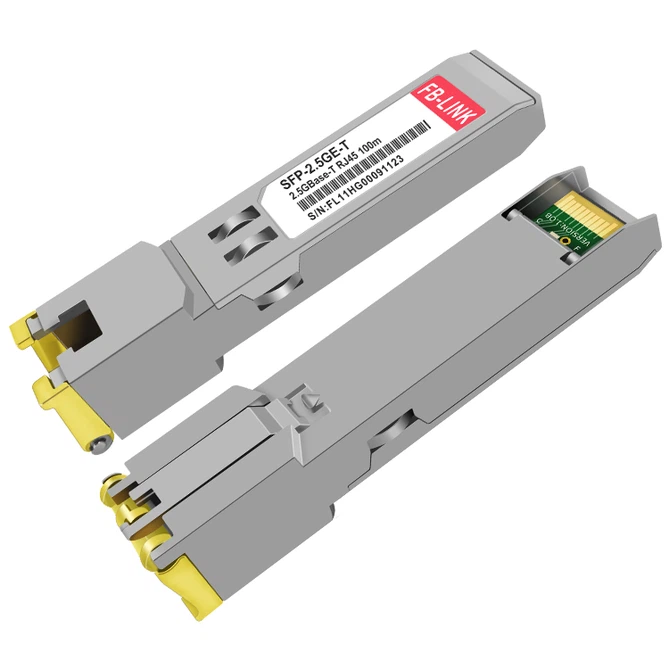
 The transition from gigabit to multi-gigabit networking has created a peculiar market segment that many network administrators initially dismissed. 2.5G SFP modules occupy an awkward middle ground-too slow for those chasing bleeding-edge performance, yet representing genuine infrastructure investment for organizations tired of watching file transfers crawl. What makes these modules particularly interesting isn't the raw bandwidth increase, but rather how they expose the messy reality of network equipment compatibility that marketing materials conveniently ignore.
Why 2.5G Exists at All
Here's the thing nobody talks about at trade shows: most existing Cat5e cabling can handle 2.5 gigabits per second without breaking a sweat. The IEEE 802.3bz standard from 2016 basically legitimized what engineers already suspected-we'd been underutilizing our copper infrastructure for years.
The jump from 1G to 10G sounds impressive on paper. In practice? You're often looking at complete cable replacement, new switch hardware, and a budget conversation nobody wants to have. 2.5G sidesteps all of that. Same cables. Usually same switches (if they have SFP+ ports). Just swap the modules.
I've seen deployments where the total upgrade cost came in under $200 for a small office. Try that with 10G.
Module Types Worth Considering
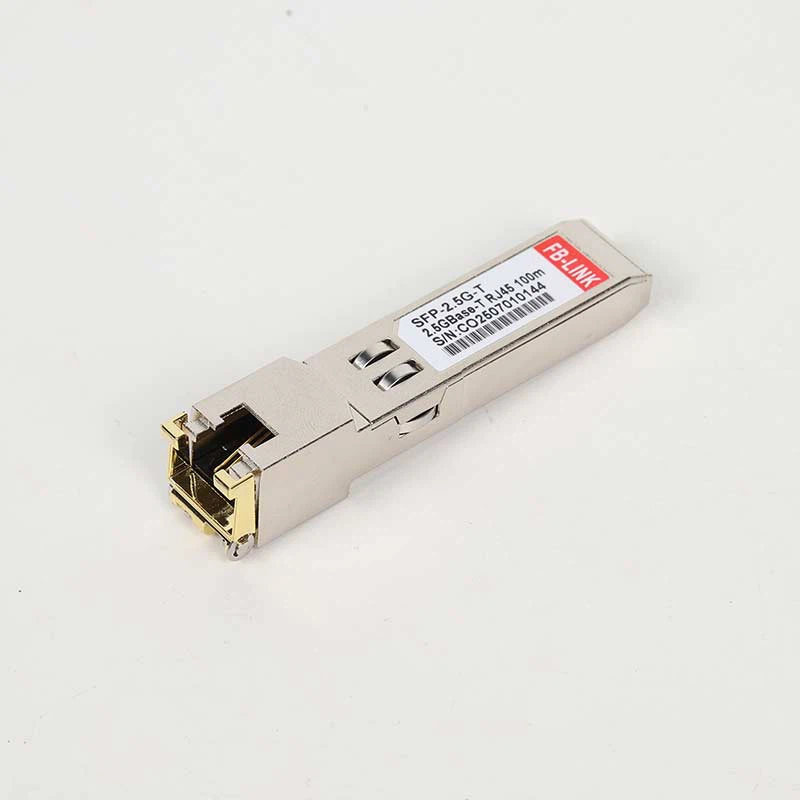
Copper RJ45 variants dominate the 2.5G SFP market for obvious reasons-they plug directly into existing network drops. The physics here matter more than vendors admit. At 2.5 Gbps, you can push signals 50 meters reliably on decent Cat5e. Push that to 10G on the same cable? Good luck getting past 30 meters without errors piling up.
Fiber options exist too. Mostly overkill for this speed class, honestly. If you're already pulling fiber, why stop at 2.5G? But for specific scenarios-connecting buildings across a parking lot, running through electrically noisy manufacturing floors-the immunity to electromagnetic interference justifies the extra cost.
Single-mode fiber SFPs at this speed are rare birds. Multi-mode handles short runs fine, and nobody's running 2.5G across campus distances where single-mode shines.
The Compatibility Nightmare
This is where things get ugly.
Cisco locks down their switches. So does HPE, though they're slightly less aggressive about it. Juniper varies by product line. You'll see error messages about "unsupported transceiver" and wonder what you did wrong. The answer: nothing. The vendor just wants you buying their 300moduleinsteadofthe300moduleinsteadofthe25 alternative.
MikroTik users have it easier-RouterOS v7.3 finally added proper 2.5G link rate support. Before that, modules would connect but report incorrect speeds, confusing monitoring systems and occasionally causing flow control issues that manifested as random packet drops under load.
The real trap? SFP versus SFP+ port behavior. Stick a 2.5G module into a standard SFP port and it might work, might lock to 1G, might refuse to link entirely. The SFP+ specification technically covers rates from 1G to 10G, but "technically" does a lot of heavy lifting in that sentence. Individual switch ASICs implement speed negotiation differently. Some will happily auto-negotiate 2.5G. Others won't recognize anything between 1G and 10G as valid.
I've personally watched identical modules behave differently in two switches from the same manufacturer, same model, different firmware versions.
Brands That Actually Work
FS.com earns their reputation. Their compatibility database isn't just marketing fluff-they test combinations and publish results. Select your switch model during checkout, get a module programmed for that specific vendor's compatibility checks. Not perfect, but better odds than gambling on Amazon.
10Gtek uses Marvell AQR113C chipsets in their multi-gig copper modules. That matters because the AQR113C handles 100M/1G/2.5G/5G/10G auto-negotiation properly. Other chipsets-particularly some Broadcom designs-struggle with the intermediate speeds. The module might establish a 2.5G link but report 10G to the switch, causing buffer allocation mismatches that destroy throughput.
MikroTik's S+RJ10 costs more than third-party options. Worth it if you're running MikroTik infrastructure. Native compatibility means proper DDM reporting, accurate speed detection, and support that won't end the conversation at "try a different module."
The white-label stuff on Amazon-ipolex, H!Fiber, Cable Matters-works fine about 80% of the time. The other 20% will have you pulling hair out debugging phantom issues. Your call on whether saving $20 per module justifies potential troubleshooting time.

Installation Reality Check
Power consumption gets overlooked until your unmanaged switch starts thermal throttling. Copper SFP modules running at 2.5G pull 2.5 to 3.5 watts each. Doesn't sound like much. Put four of them in a small desktop switch without active cooling and watch temperatures climb.
DDM-Digital Diagnostic Monitoring-separates professional modules from junk. The ability to query real-time temperature, supply voltage, TX/RX power levels, and laser bias current means you can spot degrading modules before they fail. Cheap modules either lack DDM entirely or report garbage values. Neither helps when something breaks at 2 AM.
Temperature ratings split into commercial (0-70°C) and industrial (-40-85°C). Unless you're mounting equipment in an unheated warehouse or outdoor enclosure, commercial grade handles real-world conditions fine. Industrial-grade pricing is typically 3-4x higher.
Practical Applications
NAS performance benefits immediately. A Synology or QNAP with a 2.5G SFP module feeding a properly configured switch eliminates the gigabit bottleneck that makes large backups painful. Sequential read/write speeds double or better. Random I/O depends more on disk subsystem than network, but sustained transfers feel noticeably faster.
WiFi 6 access points increasingly ship with 2.5G uplink ports. Makes sense-multiple clients on a WiFi 6 AP can easily saturate a gigabit backhaul. The 2.5G uplink prevents the wireless side from waiting on the wired side.
Google Fiber's 2 Gbps tier requires equipment capable of negotiating above 1G. Their ONT outputs via SFP, and you need a module/router combination that actually achieves 2.5G link speed. Plenty of users discover their fancy router's "SFP+ port" won't negotiate 2.5G with Google's infrastructure.
Testing Methodology That Matters
Bidirectional testing catches problems unidirectional benchmarks miss. I've seen modules deliver full 2.5 Gbps in one direction while the reverse path chokes at 100 Mbps. FS.com modules have exhibited this behavior. So have 10Gtek units. The issue traces to autonegotiation asymmetry-one end thinks the link is 2.5G, the other settled on a lower rate.
Run iperf3 both directions. Not sequentially-simultaneously. The -R flag for reverse mode isn't sufficient. You want bidirectional stress to expose flow control failures that only appear under full-duplex load.
Check actual achieved speeds against port statistics. A link reporting 2.5 Gbps in the switch interface should deliver roughly 2.35 Gbps real throughput accounting for protocol overhead. If you're seeing 1.8 Gbps on a "2.5G link," something's wrong with autonegotiation, cable quality, or module programming.

What To Buy Right Now
Industry Solutions
Choose the plan that suits you best.
For MikroTik gear: S+RJ10, no question. The 45−55pricepointhurtscomparedto45−55pricepointhurtscomparedto20 generics, but compatibility headaches disappear.
01
For Ubiquiti: FS.com modules coded for UniFi work reliably. Their UF-RJ45-10G at 10G speed technically supports 2.5G negotiation but check current stock-inventory varies.
02
For managed Cisco switches: Prepare to either pay Cisco prices or configure service unsupported-transceiver commands. Third-party modules work once you disable the lockout, but you lose TAC support for related issues.
03
For homelab/generic use: 10Gtek multi-gig copper modules offer the best balance of price, compatibility, and actual functionality. The Marvell chipset inside handles speed negotiation more gracefully than competitors.
04
Avoid anything without clearly stated chipset information. "2.5G SFP" on Amazon without specifics means gambling on whatever batch the seller received this week.
The 2.5G SFP market remains immature despite the standard existing for nearly a decade. Module quality varies wildly. Vendor lock-in persists. Documentation ranges from comprehensive to nonexistent. But for upgrading networks trapped at gigabit speeds without wholesale infrastructure replacement, these modules represent the pragmatic choice-assuming you verify compatibility before ordering and test properly after installation.