





Optical Transceiver Testing: The 6 Verification Steps That Separate Reliable Modules from Expensive Failures
 Apr 29, 2026|
 Optical transceiver testing at the field level addresses a different question than factory QC. For engineers who need to test optical transceiver modules before rack deployment, most testing guides miss the perspective that matters: not how a manufacturer tests modules on the factory floor, but how a procurement team or field engineer verifies quality at incoming inspection, with the tools and access you actually have. That gap, between factory QC literature and field verification reality, is exactly where this guide sits.
Factory QC and Field Verification Are Two Different Problems
Every transceiver manufacturer runs calibration, eye diagram measurement, and some form of aging test before shipping. Articles from other vendors describe these steps in detail, often from the perspective of a production engineer adjusting laser bias current on a test bench. That's useful context, but it doesn't answer the question a network engineer faces when a pallet of QSFP28 modules arrives at the loading dock.
Factory QC confirms a module met spec at the moment it left the line. Field verification confirms it still meets spec after packaging, shipping, and - critically - that it will behave correctly inside your specific switch platform and cabling environment. The difference matters because the most common transceiver qualification testing failures in the field aren't optical at all: they're EEPROM coding mismatches and label errors (per Telcordia GR-468 field data) that cause host-side rejection, not photonic degradation.

Consider the gap in concrete terms. A manufacturer's outgoing QC tests a module at 25°C on a reference host with a 2-meter patch cable. Your deployment puts that same module into a 40°C switch chassis, connected through 8 km of installed fiber with three patch panel connections, running on a firmware version the manufacturer never tested against. Understanding how the manufacturing process shapes module quality helps explain why outgoing factory data is a starting point, not a finish line, but it's the six field verification steps below that close the gap. Ordered by the sequence most practical for incoming inspection, they start with what needs only an optical power meter and escalate to what requires days and thermal chambers.
To understand why each subsystem inside a transceiver demands its own verification step, it helps to know how optical transceiver modules actually function, from TOSA emission through ROSA reception and the APC/ATC control loops that keep both stable.
Test 1 - Optical Power and Receive Sensitivity Measurement
This is the first check because it requires only an optical power meter and takes under a minute per port. Insert the module into a test switch or media converter, connect a known-good patch cable, and measure transmit power at the far end.
For a standard QSFP28 testing procedure on a 100G-LR4 module, the IEEE 802.3ba Clause 88 specification places per-lane Tx power between roughly −6.5 dBm and +2.5 dBm. Receive sensitivity, the weakest signal at which the receiver still achieves target BER, sits near −20.9 dBm per IEEE 802.3ba Clause 88 for 100GBASE-LR4. These aren't approximate guidelines; they're the pass/fail boundaries your optical power meter should confirm.
The test catches two failure modes immediately. First, a laser that's already running at the low end of its Tx power budget has no margin left for connector aging or fiber bends added later. Second, a receiver whose sensitivity has drifted high may work on a short bench cable but fail on a 10 km plant link where attenuation accumulates. Measuring both ends of the link, not just Tx, is what separates a real optical transceiver testing workflow from a quick sanity check.
In our incoming inspection for QSFP28 LR4 batches, we cross-validate DDM Rx readings against a calibrated power meter on 100% of units; deviations above 1.5 dB trigger full-batch hold and resampling. That threshold comes from experience: anything wider than 1.5 dB typically traces back to a miscalibrated Rx power lookup table, not fiber-side variation.

Test 2 - Eye Diagram Analysis: NRZ Modulation vs. PAM4
Eye diagram testing reveals signal integrity problems that a simple power reading will never catch: jitter, inter-symbol interference, and waveform distortion that degrade BER even when average power looks fine.
For 10G and 25G NRZ modules, a single eye opening tells the story. The eye should clear the mask template defined in the relevant IEEE 802.3 clause with measurable margin, and margin is the word that matters here, because a module that barely clears the mask at room temperature will fail it at elevated operating temperatures.
400G and 800G modules using PAM4 modulation change the picture fundamentally. PAM4 encodes two bits per symbol across four amplitude levels, producing three distinct sub-eyes instead of one. The IEEE 802.3bs standard introduced TDECQ - Transmitter and Dispersion Eye Closure Quaternary - as the definitive measurement for PAM4 eye diagram testing at 400G and above (Lightwave Online). TDECQ evaluates all three sub-eyes, and in practice, the middle eye (sometimes labeled eye 1 or eye 2 depending on convention) is the most susceptible to ISI and consistently the hardest to pass. In our testing of 400G QSFP-DD modules under PRBS-13Q, the middle eye consistently shows tighter TDECQ margin than the outer two eyes, and is the sub-eye most likely to fail the mask template as temperature rises. If a module clears the mask only at room temperature, a retest at 70°C is essential.

Test 3 - BER Testing and the FEC Trap
Bit error rate measurement is the gold standard for link quality. The standard method is to connect a BERT (bit error rate tester), run a PRBS-31 or PRBS-13Q pattern for a statistically significant duration, typically long enough to confirm SFP transceiver BER test results below 1×10⁻¹² for NRZ links, and record the result. So far, straightforward.
400G links running KP4 FEC create a specific monitoring blind spot: the post-FEC counter reads zero while pre-FEC BER climbs toward the 2.4×10⁻⁴ correction threshold (IEEE 802.3bs). Below that threshold, FEC corrects all errors and post-FEC BER reads zero. Above it, the link falls off a cliff.
Here is the problem engineers actually encounter in the field: they monitor post-FEC counters, see zero errors, and sign off the link as healthy.
Meanwhile, pre-FEC BER is sitting at 1.8×10⁻⁴, functional today, but only 25% of headroom away from the correction limit. A 3°C ambient temperature rise in the hot aisle, or a connector that picks up a fingerprint during a later maintenance window, pushes pre-FEC BER past the threshold. The link drops with no warning because post-FEC counters went from zero to catastrophic in one polling interval.
The takeaway is blunt: for any FEC-enabled link, testing post-FEC BER alone is not a quality verification. Pre-FEC BER should sit below 50% of the FEC correction threshold, that means below 1.2×10⁻⁴ for KP4, to provide meaningful headroom against thermal drift, connector degradation, and fiber aging. A module that passes at 1.8×10⁻⁴ is not a module with margin; it's a module waiting for conditions to change.
Test 4 - EEPROM Coding and DDM/DOM Verification
This test catches the single most common cause of "unsupported transceiver" errors, and it requires no optical test equipment at all - just CLI access to your switch.
Every pluggable transceiver stores identification and calibration data in onboard EEPROM, structured according to industry MSA standards: SFF-8472 for SFP/SFP+, SFF-8636 for QSFP28, and CMIS 5.0 for QSFP-DD and OSFP form factors. When a switch boots or detects a hot-inserted module, its firmware reads specific EEPROM fields - Vendor Name, Vendor OUI, Part Number, revision code - and checks them against an internal whitelist.
If any field is unrecognized, the consequences vary by platform but are never good: Cisco IOS-XR may disable the port entirely, Junos may suppress DDM telemetry, and Arista EOS may log persistent warnings that clutter your syslog. The module's optics might be flawless; the port stays dark because a string in byte 20–35 of the EEPROM doesn't match what the firmware expects. This is the reality of third-party transceiver compatibility, and it's why optical transceiver EEPROM verification is a mandatory incoming inspection step, not an optional one. We've seen this failure firsthand on a batch of QSFP28-LR4 modules destined for a customer's Cisco Nexus 9300 fabric: all 48 units passed optical power tests but were rejected at insertion because the EEPROM revision code was one character off from the NX-OS 10.2(3) whitelist entry. The fix required a firmware reflash on the modules, not a hardware swap.
A question engineers ask but most suppliers avoid: what does a third-party module actually put in the Vendor Name field? Early in the industry, some manufacturers cloned OEM strings like "CISCO-FINISAR" directly, a practice that created legal gray areas and firmware-update fragility. The modern approach, and the one we use at 100gmodules.com, is MSA-compliant coding under our own registered Vendor Name. On platforms that enforce vendor whitelists, this requires enabling the service unsupported-transceiver command (Cisco IOS-XE) or equivalent override, a one-time configuration, not a workaround. We provide platform-specific enable instructions with every shipment precisely because this is the step most likely to trip up a first-time deployment.
DDM (Digital Diagnostic Monitoring, also called DOM) provides real-time telemetry from the module: temperature, supply voltage, laser bias current, Tx optical power, and Rx optical power. On Cisco platforms, show interfaces transceiver displays these values; on Huawei, display elabel and display transceiver serve the same purpose; on Linux hosts, ethtool -m and i2cdump read raw EEPROM register data directly. For each module SKU we ship, DDM validation screenshots from our test bench are available on the product page, so you can see the baseline readings before your own units arrive.
But DDM accuracy itself needs verification, and this is a point most guides skip entirely. Low-quality modules can report Tx or Rx power readings that deviate ±2 dB or more from values measured with a calibrated optical power meter. On Cisco platforms, compare the show interfaces transceiver Rx power value against your meter reading; a deviation exceeding ±1.5 dB on an SFP+ or QSFP28 is a calibration red flag, not fiber margin variation. The root cause is typically an improperly populated Rx power lookup table in the module's EEPROM calibration registers.
There's a subtler DDM issue that explains why a module can show healthy readings while the link drops frames. Premium modules refresh their internal ADC readings roughly every 100 microseconds; budget modules may update only at millisecond intervals, a difference rooted in the APC control loop architecture we document in our transceiver function guide. During thermal transients, say, the first 60 seconds after insertion into a hot switch slot, the laser's output power fluctuates as the APC control loop settles. A fast-refreshing module captures these fluctuations in DDM; a slow-refreshing module averages them away, showing a stable reading that masks real instability. If your DDM says the module is fine but your BER counters disagree, refresh rate mismatch is a plausible root cause. But diagnosing it requires a calibrated optical power meter alongside the CLI, which is why we run parallel monitoring on every batch during the first 10 minutes post-insertion.
Test 5 - Burn-In and Accelerated Aging Verification
You probably won't run optical transceiver burn-in testing yourself; it requires thermal chambers, continuous traffic generation, and days of uninterrupted monitoring. What you should do is demand evidence that your supplier ran it properly, and know what "properly" means so you can evaluate their documentation.
A credible burn-in test operates modules at elevated temperature, typically 70°C to 85°C, under continuous electrical and optical load for 72 to 168 hours. The purpose is to trigger infant mortality failures: modules with marginal solder joints, weak wire bonds, or edge-case laser diodes that would fail within their first weeks of deployment. The industry-accepted qualification framework from Telcordia GR-468 extends this further, requiring 2,000 hours (approximately 83 days) of aging with zero failures as the benchmark for production qualification.
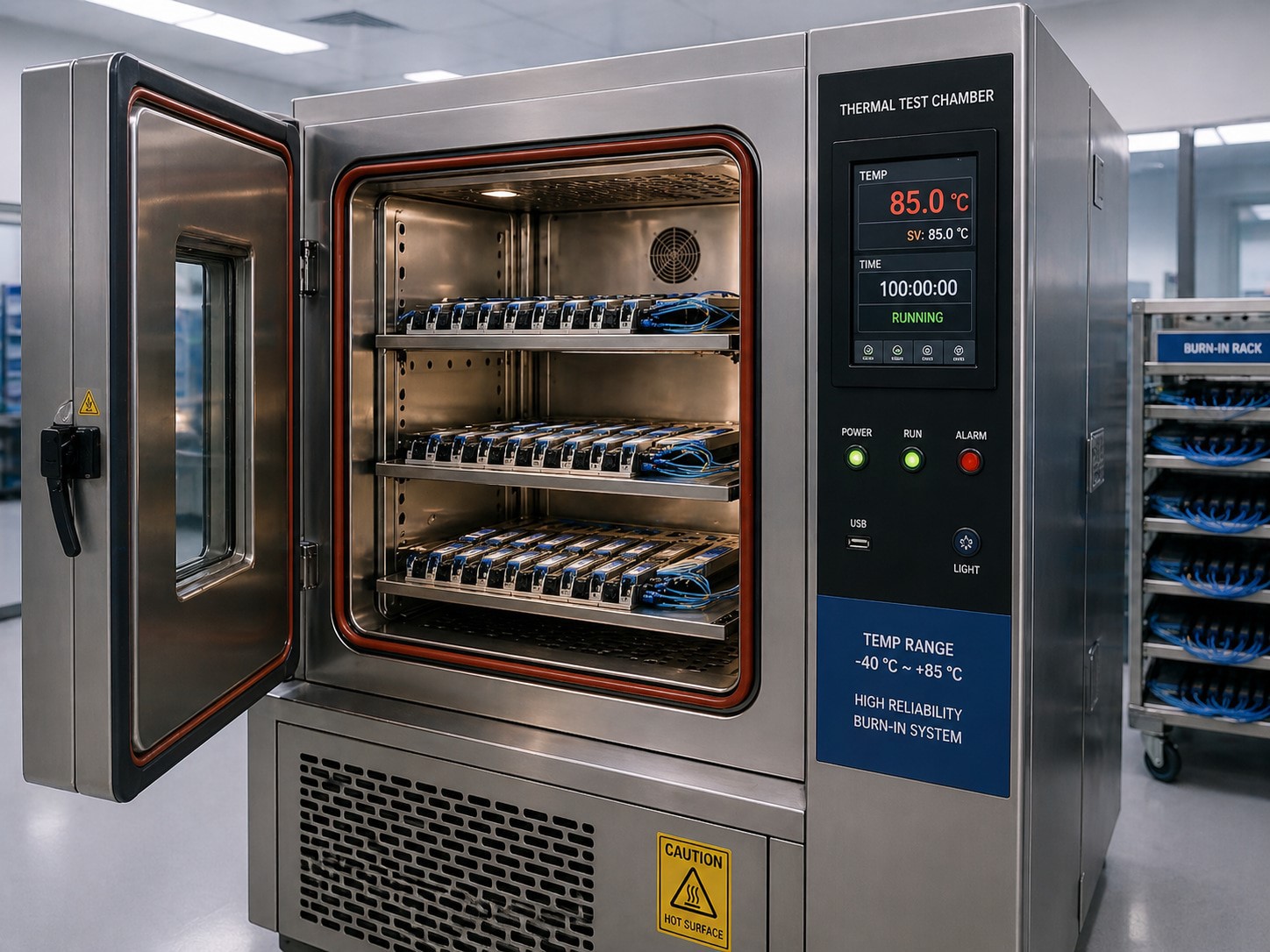
Passing a 2,000-hour aging test eliminates early-life defects, but it does not predict mid-life laser degradation, the slow decline in output power as the gain medium ages over a typical 5-to-7-year data center deployment. For projects requiring long-lifecycle guarantees, request the supplier's MTBF data calculated per Telcordia SR-332 methodology at 40°C ambient. Commercial-grade modules from reputable suppliers typically report MTBF values in the 500,000–1,000,000 hour range; values below 300,000 hours warrant further inquiry into component sourcing and assembly process. MTBF and burn-in measure different things: burn-in filters defective units out of a batch, while MTBF estimates population-level reliability over the module's intended service life. A supplier who provides burn-in records but cannot produce an MTBF figure is missing half the reliability picture.
What to look for in supplier documentation: burn-in temperature and duration, sample size, whether traffic was continuous or duty-cycled, and whether any units failed and were removed from the batch. A supplier who quotes "100% burn-in tested" but won't specify temperature, duration, or failure rate is not providing meaningful quality evidence. If your supplier runs only 24 hours at ambient temperature and calls it burn-in, that's a process designed to check a box rather than screen out defective modules. The difference in screening effectiveness between 24 hours at 25°C and 72 hours at 85°C is not incremental, it's categorical.
Our own burn-in protocol runs at 85°C for 96 hours under continuous PRBS traffic, exceeding the 72-hour minimum precisely because the failure modes we're screening for (weak die bonds and marginal VCSEL arrays) need sustained thermal stress to surface. Batch burn-in reports, including per-unit pass/fail records with temperature and duration, are available to buyers on request during the procurement process.
Test 6 - Platform Compatibility and Interoperability
The final verification step requires the one thing no bench instrument can replicate: your actual production switch. Insert the module, bring up the interface, and confirm three things in sequence.
First, check system logs for any "unsupported," "unrecognized," or "non-qualified" messages. Some platforms (notably Cisco NX-OS) will allow the port to operate while still logging warnings; others will hard-disable it. Either way, the log entry tells you whether the EEPROM coding passed the host's compatibility check.
Second, verify that DDM telemetry is fully populated. On certain platforms, an unrecognized module will pass traffic but report all DDM fields as zero or N/A, silently stripping your ability to monitor the link's health over time. A module running without DDM visibility is a module you cannot proactively manage.
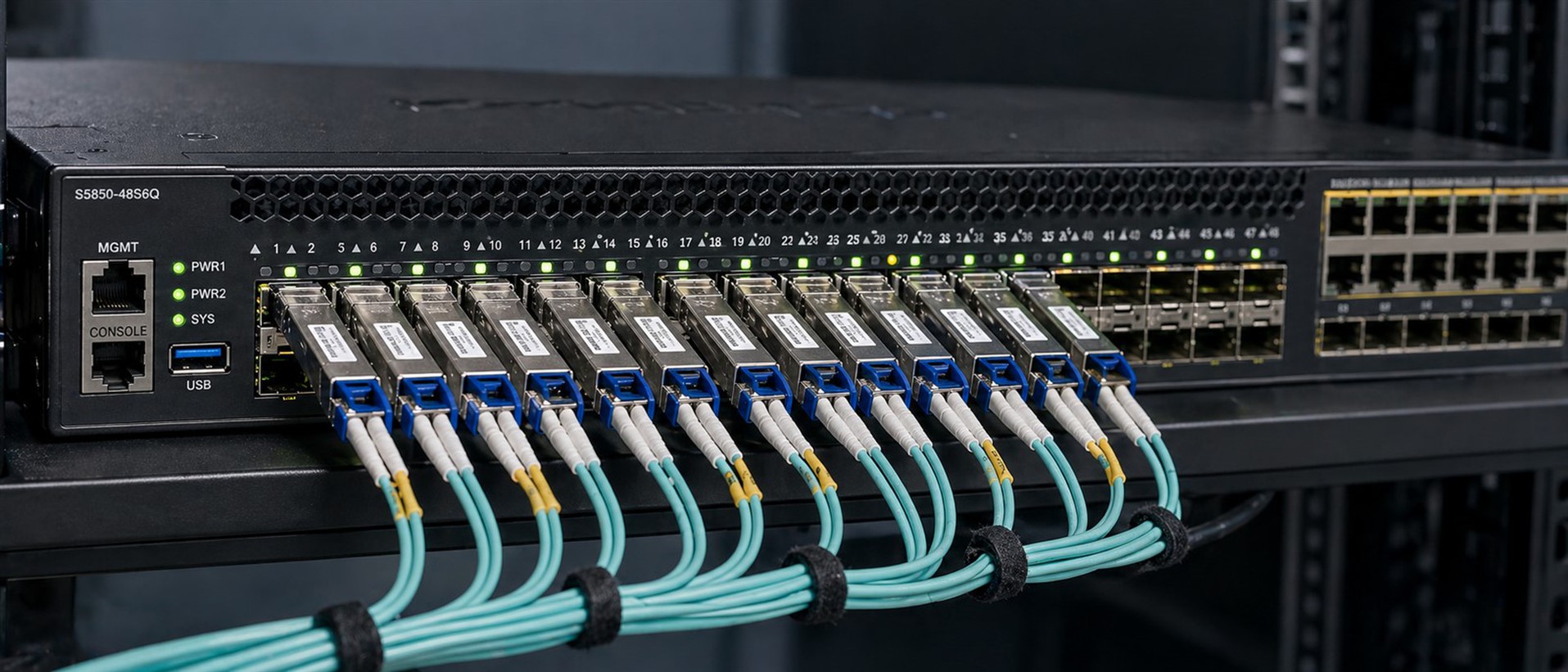
Third, if your environment involves mixed-vendor platforms, test the same module in each platform type. A QSFP28 coded for Cisco compatibility won't necessarily pass Juniper's EEPROM check, and vice versa. Cross-platform optical transceiver testing is especially relevant for organizations that standardize on MSA-compliant pluggable transceivers to reduce vendor lock-in. On this point, a clear judgment: for third-party modules with correct EEPROM coding and verified platform compatibility test records, the operational reliability risk is not meaningfully different from OEM modules running on the same platform. The risk variable is the verifiability of the supplier's testing process, not the "third-party" label itself.
Hot-swap testing deserves a mention here. Insert and remove the module three to five times while monitoring the port state and log output. Modules with marginal electrical contacts or poorly seated heat sinks can pass a single insertion test but fail intermittently after repeated handling, exactly the scenario a field technician encounters during maintenance windows. We maintain a compatibility matrix covering the specific switch models and firmware versions each module SKU has been validated against, a resource available on the product page for each transceiver we ship.
What to Demand from Your Supplier: The Documentation Checklist
A third party transceiver quality check is only as credible as its records. When evaluating a supplier, whether OEM or third-party, request the following documentation for each product line, and treat the supplier's willingness to provide it as a quality signal in itself.
Outgoing QC test sheet
Per-unit optical power and sensitivity readings, not batch-level averages. You need individual module data to catch units that passed on the margin.
DDM calibration validation
A record showing alignment between DDM-reported values and calibrated power meter measurements. This is how you confirm the DDM readings you'll rely on in production are actually accurate.
Burn-in test report
Must specify temperature (70–85°C), duration (72+ hours minimum), sample size, traffic type (continuous vs. duty-cycled), and pass/fail count including any units removed from the batch.
Platform compatibility matrix
A list of tested switch models and firmware versions, with test dates. "Compatible with Cisco" is not a compatibility matrix; "Tested on Nexus 9300v running NX-OS 10.3(2)" is.
EEPROM firmware revision and MSA compliance declaration
Specifying SFF-8472, SFF-8636, or CMIS 5.0 as applicable, with the actual revision number so you can verify it matches what's on the module.
A supplier who cannot provide burn-in temperature and duration is almost certainly running a 24-hour ambient-temperature soak, a process that screens for dead-on-arrival units, not infant mortality. That is a minimal-cost batch test on a module you're deploying for five or more years. Price the risk accordingly.
At 100gmodules.com, we provide each of these five documentation items as standard deliverables with every order, downloadable from the product page or available in full during the procurement review. The actual documents, not summaries.
Tested Modules, Verified Performance
Every transceiver listed at 100gmodules.com ships through the verification sequence described above: optical power measurement, eye diagram analysis, BER validation with pre-FEC margin confirmation, EEPROM and DDM confirmation, burn-in screening at 85°C, and multi-platform compatibility testing. If you're building an incoming QC process from scratch, or tightening one that let a bad batch through, the framework in this guide gives you the parameters and pass/fail criteria to work from.
FAQ
Q: What tests verify optical transceiver quality before deployment?
A: Six core tests form a complete verification: optical power and receive sensitivity measurement, eye diagram analysis (including TDECQ for PAM4), BER testing with pre-FEC and post-FEC evaluation, EEPROM coding and DDM accuracy verification, burn-in and aging screening, and platform compatibility testing on target switch hardware.
Q: What is the difference between NRZ and PAM4 eye diagram testing?
A: NRZ modulation produces a single eye opening evaluated against a mask template. PAM4 generates three sub-eyes requiring TDECQ measurement per IEEE 802.3bs, with the middle sub-eye typically hardest to pass due to inter-symbol interference.
Q: What should a burn-in test include for optical transceivers?
A: Credible burn-in operates modules at 70–85°C under continuous traffic for 72 to 168 hours. The Telcordia GR-468 qualification standard requires 2,000 hours of aging without failure. Burn-in screens out infant mortality defects before field deployment.
Q: Why does my switch show "unsupported transceiver" when the module physically fits?
A: The switch firmware reads the module's EEPROM at insertion and checks Vendor Name, Part Number, and other fields against an internal whitelist. Unrecognized or incorrectly coded fields cause the host to disable the port or suppress DDM data, regardless of optical performance.
Q: Can DDM readings alone confirm a transceiver is working correctly?
A: Not reliably. DDM accuracy depends on factory calibration quality, and low-cost modules can deviate ±2 dB or more from actual optical power. Additionally, DDM refresh intervals vary from 100 microseconds to several milliseconds, potentially masking thermal transients. Always cross-validate with an independent optical power meter.